
The right Shopify theme depends on your catalog size, content needs, and technical goals, not just how it looks. Prioritize page speed, mobile performance, and how much customization you’ll realistically need. Test any theme with real products before committing, and consider a custom build only once a pre-made theme starts limiting your growth.
Choosing a Shopify theme feels like a simple decision until you realize how much it actually controls: how fast your store loads, how well it converts visitors, how easily Google can crawl it, and how much freedom you’ll have to grow the brand later. A theme isn’t just a skin. It’s the technical and visual foundation of your entire store.
This guide walks through what actually matters when picking a theme, so you don’t end up rebuilding the store six months in.
1. Free vs. Paid Shopify Themes: What’s the Real Difference?
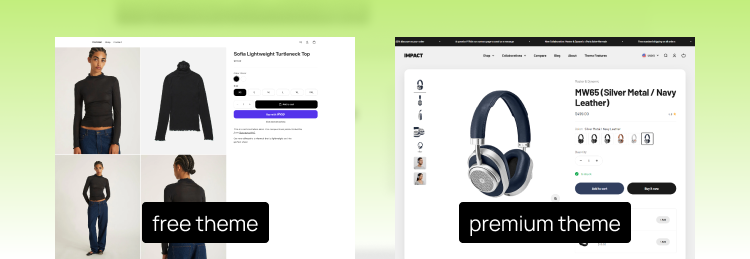
Free and paid Shopify themes both run on the same platform and follow the same technical standards, but they differ in depth, flexibility, and support.
When a free theme is enough
Free themes work well for stores in an early validation stage, especially when the main goal is to launch quickly and test a product idea:
- Small catalogs are easier to manage with a simple, lightweight theme.
- Simple product pages are often enough when you only need to showcase a few products.
- A straightforward buying flow helps customers complete purchases without unnecessary distractions.
- Lower upfront costs make free themes a good choice when you are still testing demand.
- Faster setup allows you to launch your store quickly and focus on products, marketing, and customer feedback.
- Room to upgrade later means you can switch to a premium theme once your store grows and needs more advanced features.
If you’re testing a product idea or launching a minimum viable store, a free theme lets you get live quickly without extra cost while giving you a solid foundation to learn what works.
When it’s worth paying for a premium theme
remium themes often provide more built-in features, which can improve your store’s performance and reduce the need for extra apps:
- Better conversion potential means a premium theme can pay for itself once your catalog grows or your brand presentation becomes a key part of your sales strategy.
- Advanced filtering and navigation help customers find products faster, especially in larger catalogs.
- Richer product pages give you more options to showcase products and increase buyer confidence.
- More layout and customization options allow you to create a stronger brand experience without custom development.
- Fewer third-party apps can result in a faster, cleaner storefront with less technical overhead.
2. Key Factors to Consider Before Choosing a Theme
Page speed and Core Web Vitals
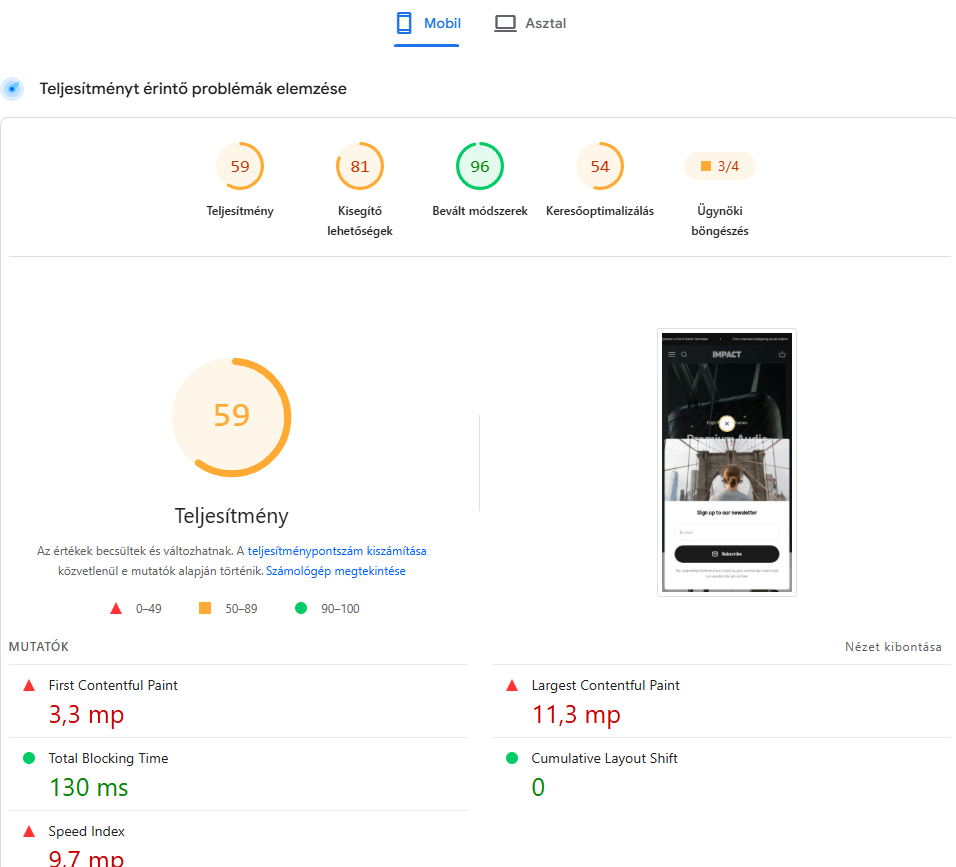
Speed is not a nice to have. Studies on ecommerce conversion consistently show that even small delays in load time reduce conversion rates and increase bounce. Before choosing a theme, check its Core Web Vitals scores using a live demo store rather than relying on marketing claims from the theme page.
Mobile responsiveness
Most Shopify traffic today comes from mobile devices, so a theme has to perform as well on a phone as it does on desktop, not just resize correctly. Check how product images, filters, and the cart behave on a small screen before you commit.
Built in features vs. app dependency
Every feature a theme doesn’t include natively is a feature you’ll likely add through an app, and every app adds JavaScript, which slows the store down. When comparing themes, look closely at what’s built in: product filtering, quick add to cart, upsells, size charts, and reviews. A theme that covers more of these natively will usually outperform one that needs five extra apps to match it.
SEO and image optimization
Some themes generate bloated code that slows crawling and rendering, so look for clean code output and built in structured data support (schema markup) for products and reviews. Product images are usually the heaviest assets on a store, so a good theme should also handle responsive image sizing and lazy loading by default, rather than relying on apps to fix it.
3. Matching the Theme to Your Business Type
Themes for small catalogs
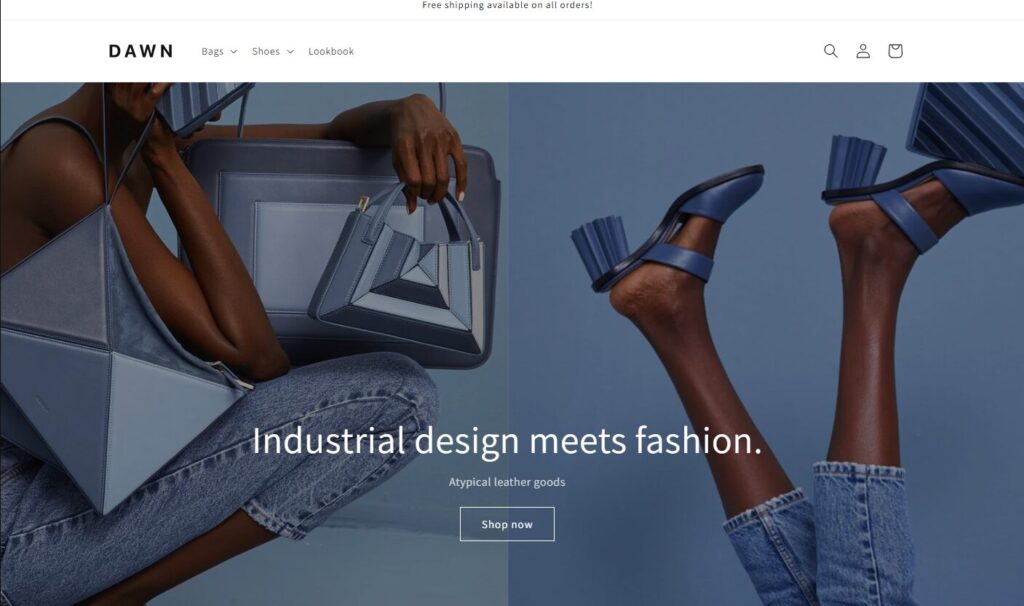
If you’re selling a handful of products, you don’t need a theme built for massive navigation menus and complex filtering. Simpler, image forward themes usually convert better here because they put the focus on the product itself. Dawn, Shopify’s own free flagship theme, is a strong starting point for this kind of store.
Themes for large catalogs and multi collection stores
Stores with dozens or hundreds of products need strong filtering, faceted search, and collection page flexibility. Look specifically at how a theme handles category pages, since that’s often where large catalog stores lose the most potential customers to poor navigation. Canopy is built specifically for large inventories, with an always visible cart, back in stock alerts, and strong filtering out of the box.
Themes for content heavy brands
If storytelling, blog content, or brand education is part of your strategy, prioritize themes with strong blog layouts and flexible content sections, not just product templates. A theme that treats content as a second class citizen will make it harder to build the kind of long form pages that also help with SEO. Taiga stands out here, with editorial style sections built for visual storytelling.
5 Popular Shopify Themes Worth Considering in 2026
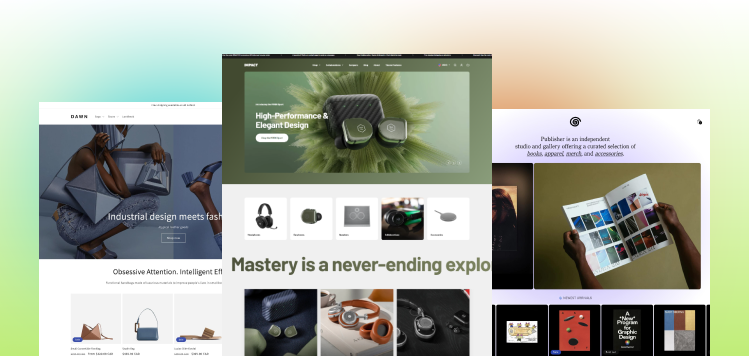
If you want concrete starting points instead of browsing hundreds of options in the Theme Store, these five come up consistently as strong, well maintained choices across different store types:
- Dawn (free)
Shopify’s own flagship theme, known for clean code and strong Core Web Vitals scores. A solid default for new or small stores that don’t need heavy customization yet. - Impact (premium)
Built around speed and conversion, with strong built in upsell and merchandising features. A common choice for growing DTC brands that want to reduce app dependency. - Enterprise (premium)
Built for high-volume stores with large product catalogs. It includes advanced navigation, mega menus, powerful search, and merchandising tools that help customers browse large inventories efficiently. - Zest (premium)
One of the most mobile optimized themes available, worth considering if most of your traffic comes from phones. - Symmetry (premium)
A versatile theme built for growing stores that need strong merchandising, advanced product discovery, filters, mega menus, and flexible homepage sections. A good fit for brands that are scaling beyond a simple catalog.
4. How to Test a Theme Before Committing
Never judge a theme by its marketing screenshots. Install it on a development store, add your actual products, and run it through Google PageSpeed Insights to see real performance numbers, not the optimized demo. Also check how recently the theme was updated and read reviews about support responsiveness, since an unmaintained theme can break as Shopify evolves.
5. Custom Theme vs. Off the Shelf: When Should You Upgrade?
Pre-made themes cover most stores well, but there’s a point where they start limiting growth rather than supporting it:
When you need a specific user experience competitors don’t have, when app dependency has made the store noticeably slow, or when brand differentiation has become a real priority. At that stage, a custom Shopify theme, built around your specific catalog, content strategy, and conversion goals, tends to outperform even the best off the shelf option. If you’re reaching that point, it may be worth talking to a developer about what a custom build would actually solve for your store.
6. Frequently Asked Questions
What’s the best free Shopify theme in 2026?
There’s no single best option since it depends on your catalog size and content needs, but the strongest free themes tend to be the ones built directly by Shopify, since they’re kept up to date with the platform’s latest standards and Core Web Vitals best practices.
Can I switch Shopify themes without losing SEO rankings?
Yes, if it’s done carefully. Keep your URL structure, page titles, and meta descriptions consistent, and check that structured data and redirects are properly carried over. A rushed theme switch without this care can cause a temporary drop in rankings.
How much does a custom Shopify theme cost?
Costs vary widely depending on complexity, but custom builds generally cost significantly more than premium themes since they involve original design and development work rather than customizing an existing template.
Do Shopify themes affect site speed?
Yes, significantly. The theme’s code quality, image handling, and how many features rely on external apps all directly affect load time, which in turn affects both user experience and search rankings.
Final Thoughts
Picking a Shopify theme isn’t about finding the prettiest option, it’s about finding the one that fits your catalog, supports your content goals, and doesn’t sacrifice speed for style. Test before you commit, prioritize performance over feature lists, and remember that the right theme today might not be the right theme once your store scales. If you outgrow what a pre-made theme can offer, that’s usually a sign it’s time to explore a custom build.